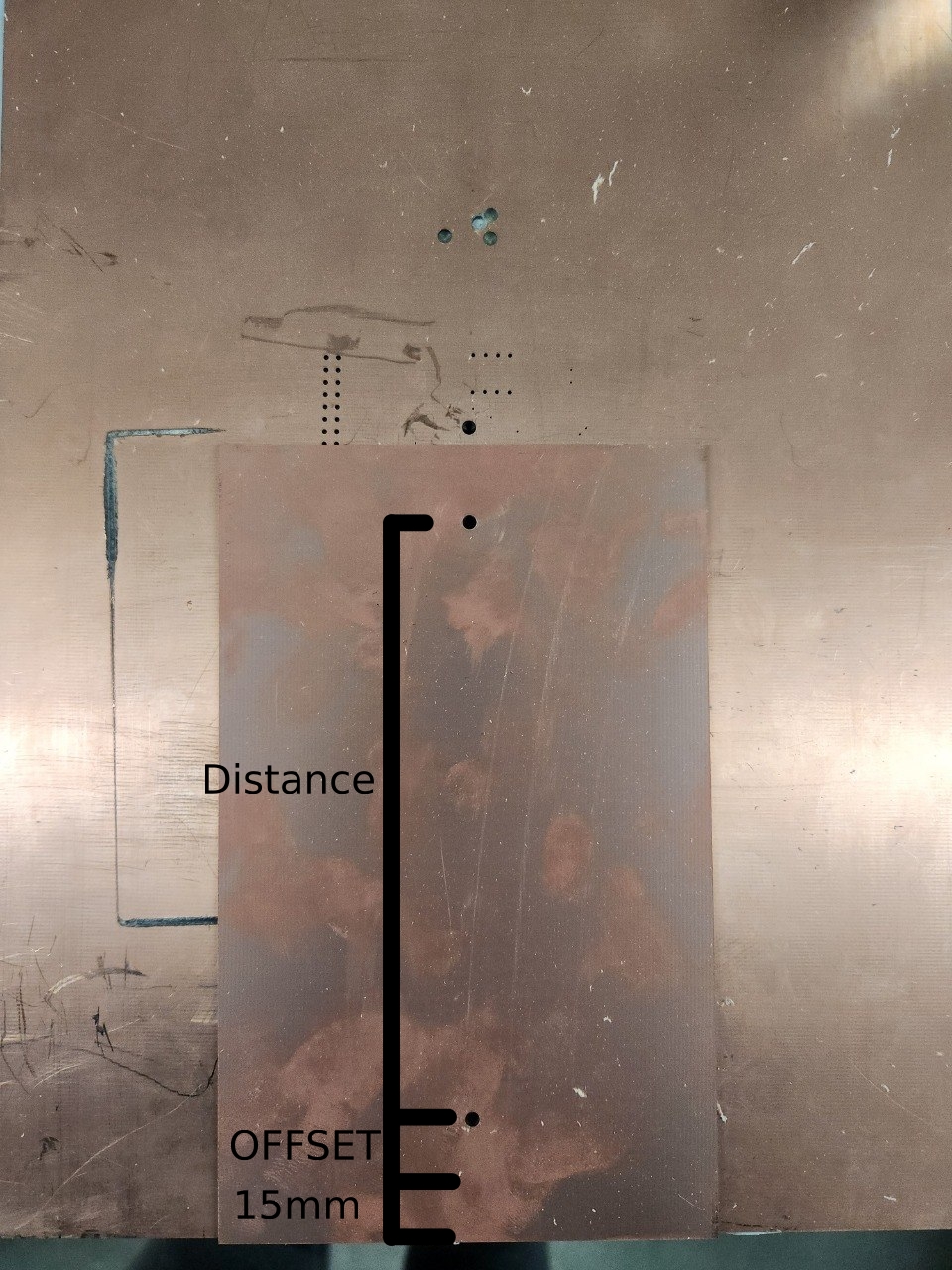
Drilling reference holes
- Running the wizard In the top toolbar choose
Machining->Drill reference holes. - Reference holes are drilled on a line connecting front and back of the bed in the middle.
- Offset settings: The distance between the edge of the machine to your home hole** Offset is offset by 15 mm. So Real offset is 15+offsetvalue
- Location away from home: Location of the second hole
offset + 15mm + distance < material height - Taking off the material: Ignore the prompt for removing the material
- Tool: = use a 3mm drill.
- If your following the 2 layer process, do not insert the alignment pins, as the toolhead will crash into them.
- If everything went right you'll see the alignment holes as red circles in the machining view.